5 Easiest Ways to Backup & Restore Firefox Addons and Settings
With the support of thousands of addons, plugins and themes, Firefox takes the lead among all web browsers. You can customize the way you want with the help of these plugins. But when so many of those addons and plugins are installed at the same time, firefox not only gets heavier but it also becomes necessary to take backup of the settings in case anything goes wrong with the browser.You might also want to transfer settings and plugins of Firefox from one PC to another. So you can save time by installing each and every addon one by one. You can offcourse do the task manually by downloading addons and apply the same settings on each new system.
Fortunately, there are some tools and addons for firefox specially designed to take backup of everything installed with your firefox. From bookmarks, toolbar, menu, themes, plugins, addons to every bit of the settings.
Here are 5 ways you can take backup of your Firefox easily using these tools and addons.
1. MozBackup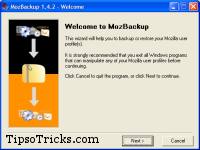
MozBackup is a simple utility for creating backups of Firefox. It allows you to backup and restore bookmarks, mail, contacts, history, extensions, passwords, cache etc. The easiest and probably the fastest way to take and restore firefox backups.
2. FEBE
FEBE (Firefox Environment Backup Extension) allows you to quickly and easily backup your Firefox extensions. In fact, it goes beyond just backing up — It will actually rebuild your extensions individually into installable .xpi files. Now you can easily synchronize your office and home browsers.
3. CLEO
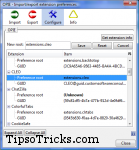
CLEO (Compact Library Extension Organizer) is a Firefox extension that works with FEBE to package any number of extensions/themes into a single, installable .xpi file.4. OPML Support
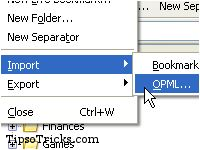
OPML Support adds OPML import/export functionality to the Firefox Bookmarks manager. OPML is a file type that is widely used to distribute lists of RSS/newsfeeds


No comments:
Post a Comment